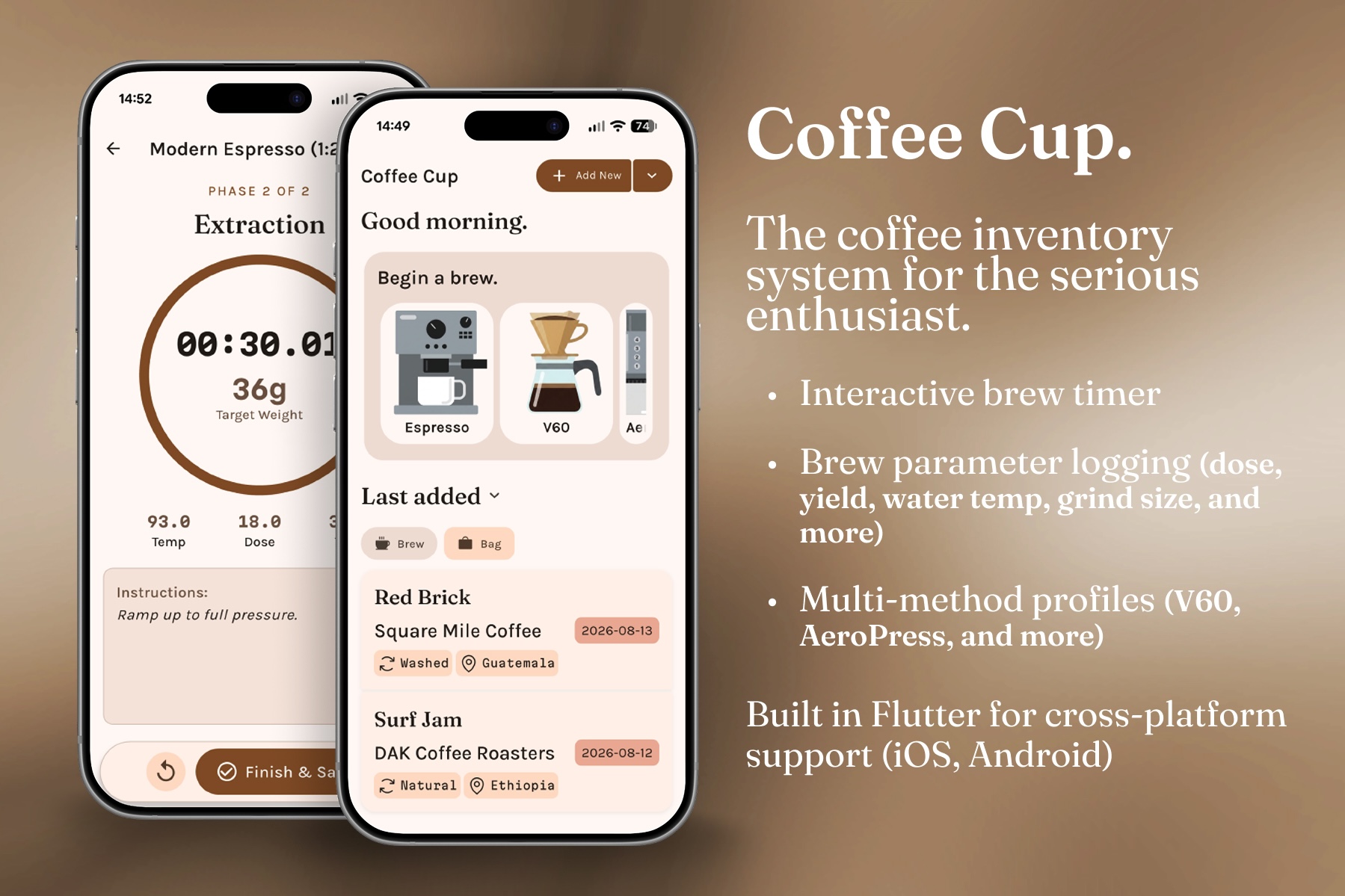
A cross-platform mobile utility designed to log coffee bean inventories and track precise extraction metrics across multiple brewing methods.
I created this as a demo application for my 'Mobile Application Development' module in 2nd year, but it filled a niche that I was genuinely looking to find a solution to.
Features
Coffee bag loggingCatalogs roaster origins, processing methods (e.g., Washed, Natural), and purchase dates to manage bean freshness and profiles.
Before adding a brew, the user is expected to submit a bag of coffee. The app provides complete cataloguing capabilities allowing users to add and remove bags and log when they were opened and provide additional details including the processing method, origin and roaster.
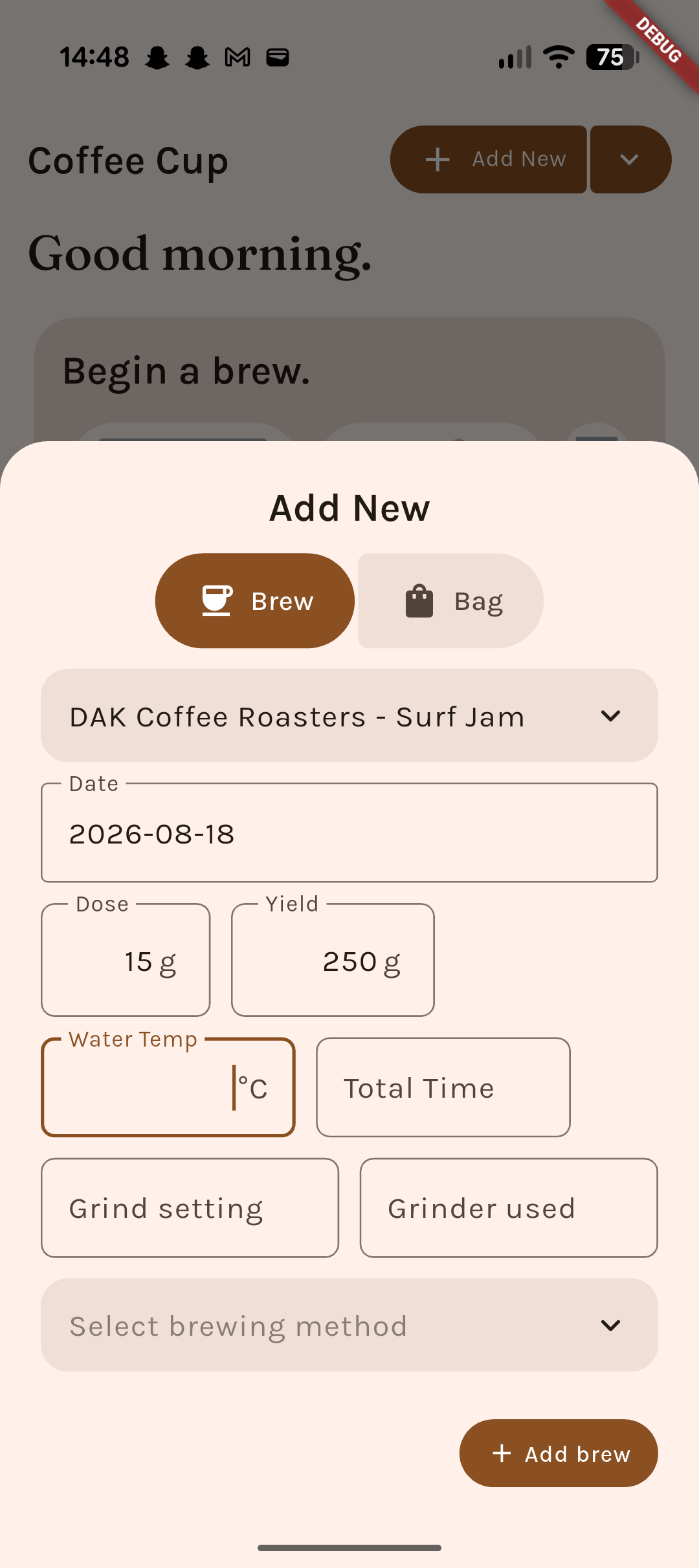
Brew cataloguingInclude date brewed, dosage and yield, water temperature, time and grinder details + method specific parameters.
Logging a brew is as simple as selecting the bag of coffee (provided as a dropdown of all added bags) and adding your parameters.
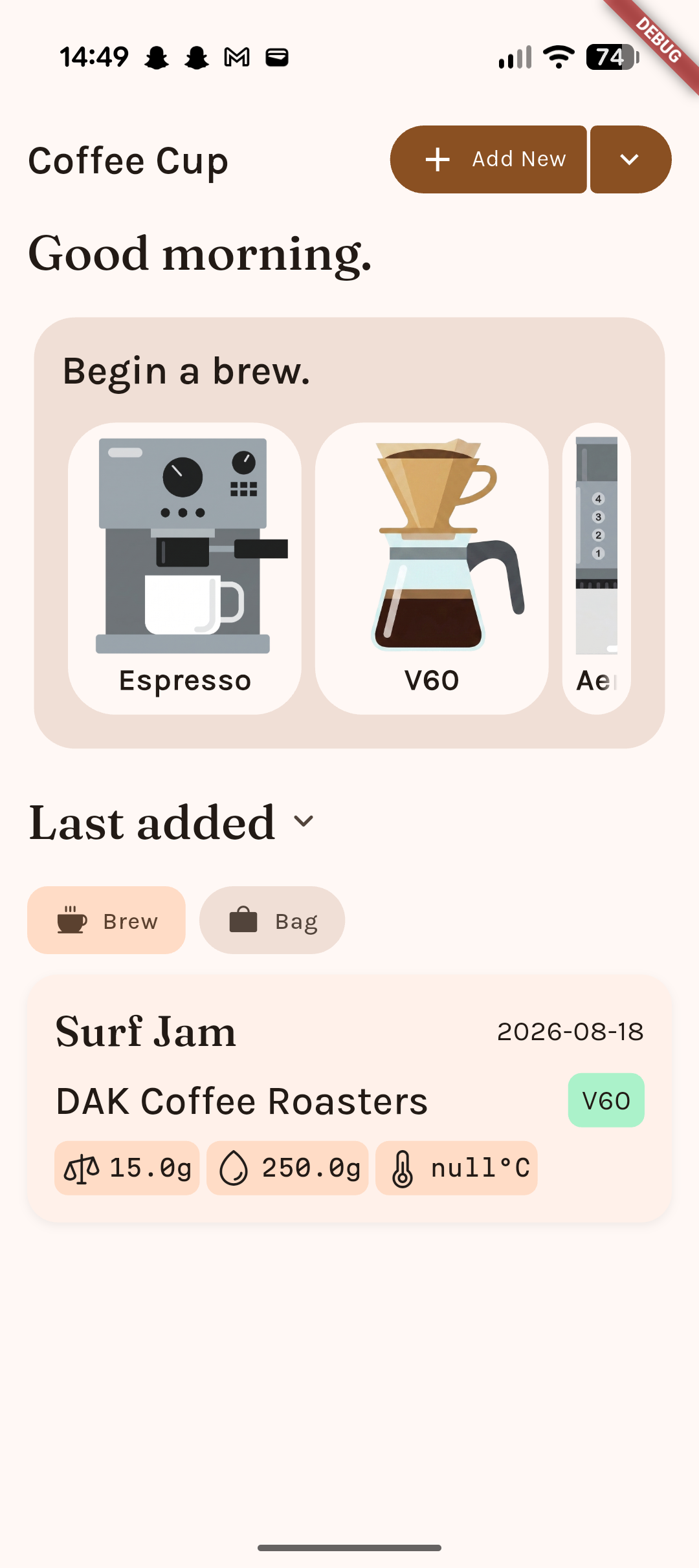
 The home page provides a list of historical views with the most recent displayed at the top, which allows you to check what you need to tweak for the next brew.
 Furthermore, you can favourite the brews where you got the recipe just right so you can use them as a reference later on.
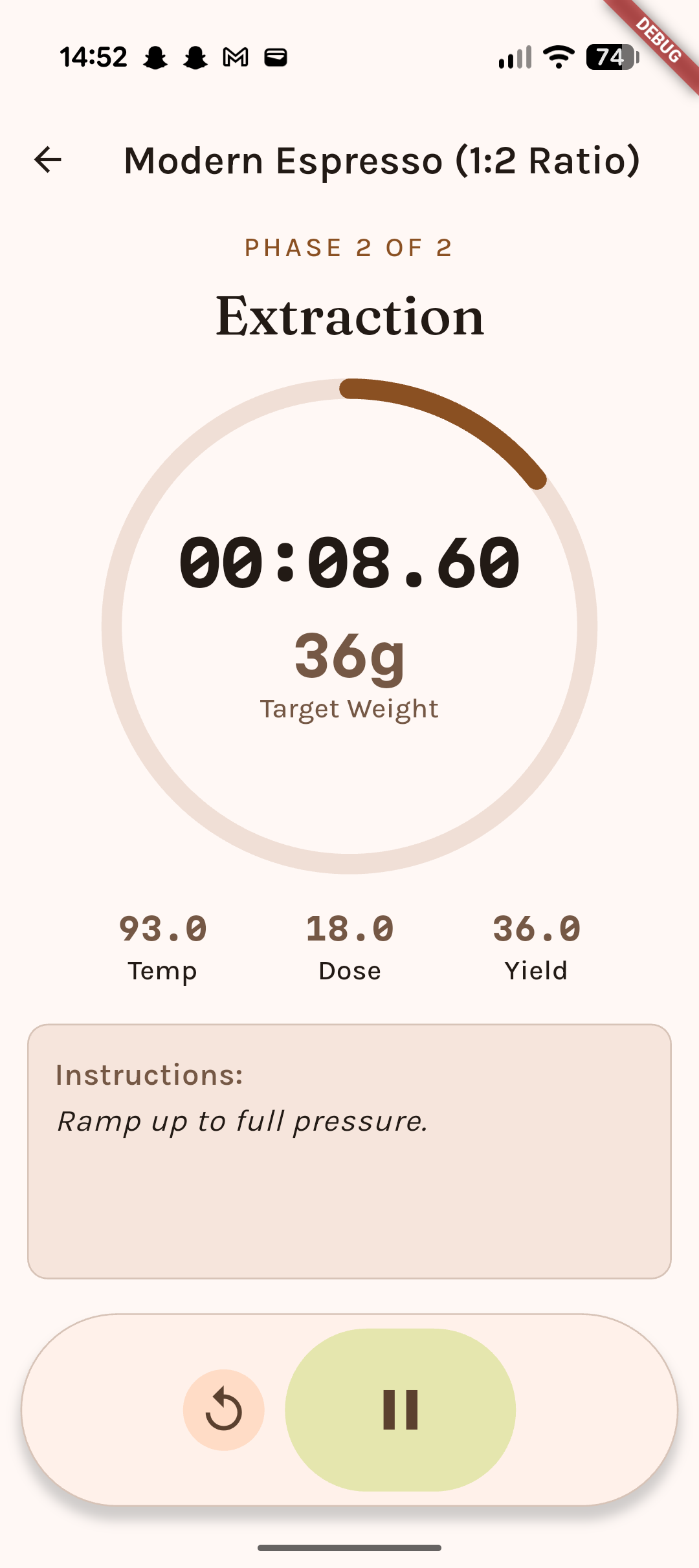
Interactive brew timerA timer, based on a preset recipe, allows multi-stage brews with each step guiding the user through the process.
When I brew a cup of coffee in the morning, I default to pulling up my timer app, finding a recipe online and switching back and forth between the two to ensure I'm following all the steps at the correct interval.
With this app, I wanted to streamline the process by building a timer that details the correct instruction at the right moment in the process, reducing the cognitive load required, something I would expect many users to be glad of before their brew.
The user can also see all the metrics and quantities that apply to the recipe, including brew temperature and dose, ensuring they never have to exit the interactive timer screen until the brew is complete.
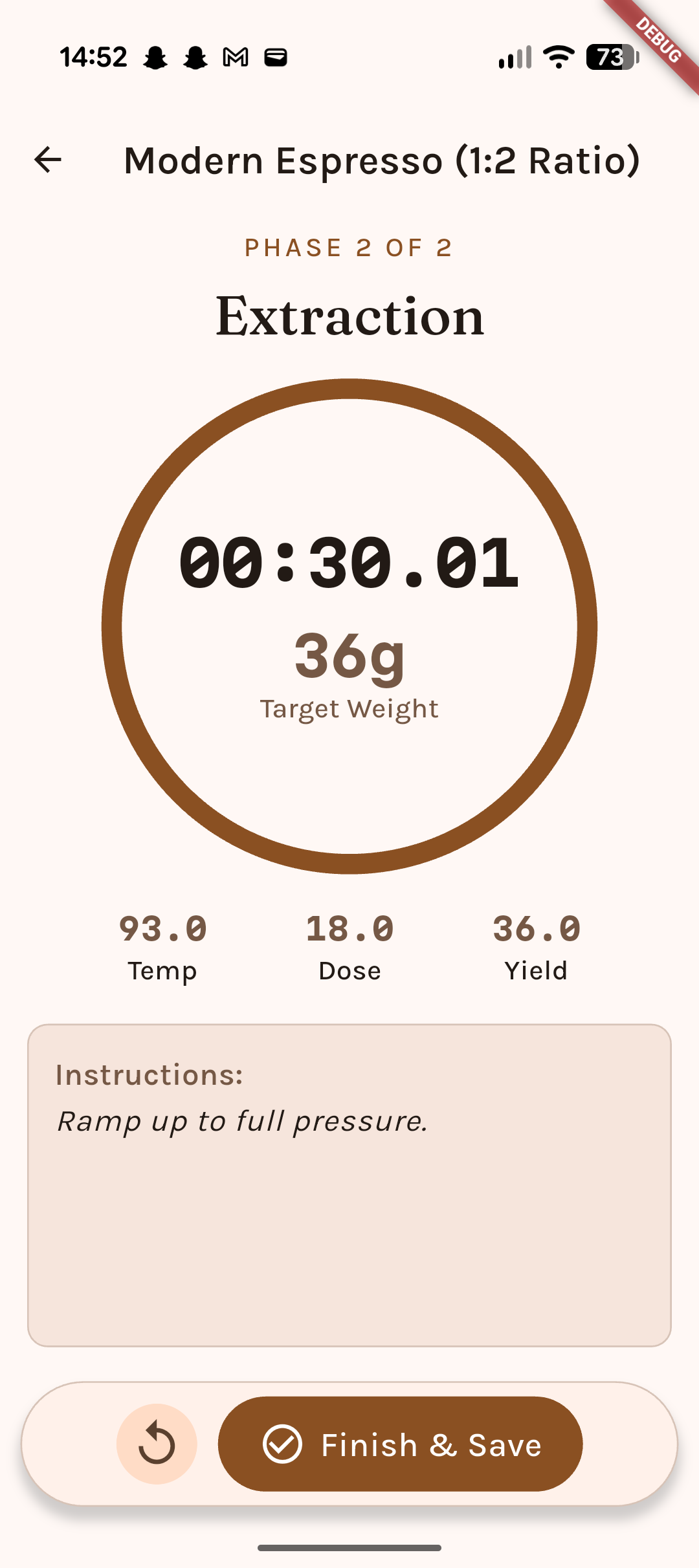
Finally, a toolbar of buttons at the bottom ensures complete control over the timer, including a pause / play button and a restart button.
In the future, I'd like to include skip forwards and backwards buttons to navigate specific brewing phases. It would also be a great QOL improvement to allow a user to preview all steps by tapping on the instruction card.
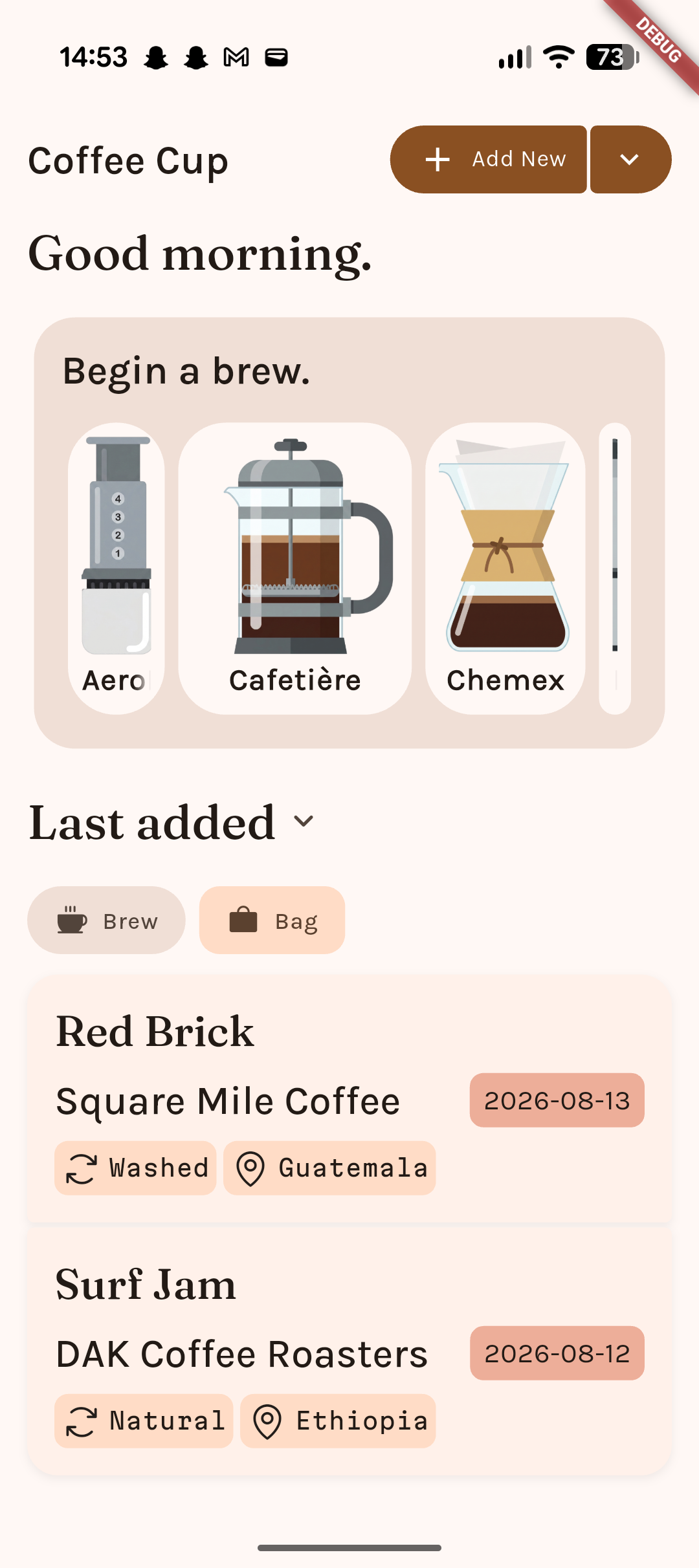
Multiple brewing methodsBrews can be saved under a number of profiles including AeroPress, V60, espresso, cafètiere and more.
Some of these methods have custom optional parameters allowing you to provide as little or as much detail as you want.
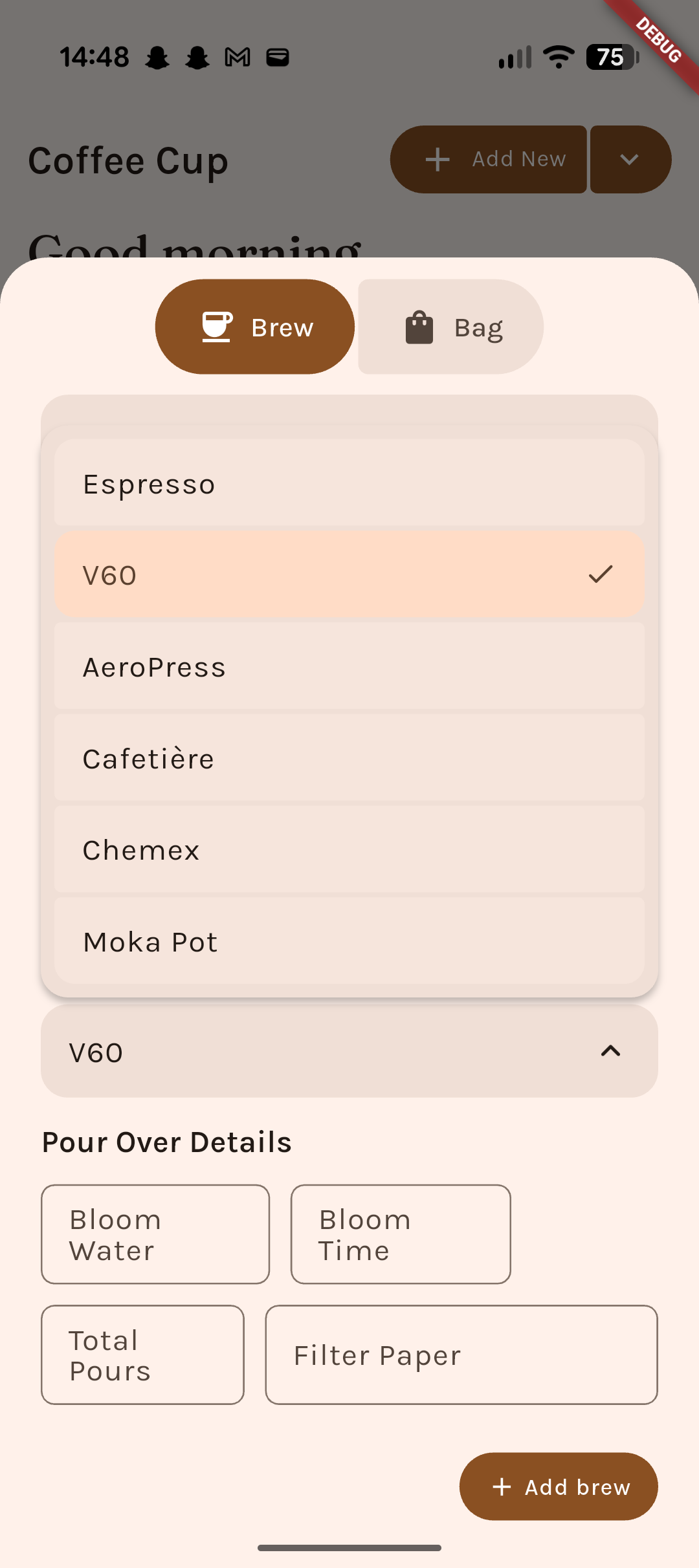
Espresso similarly has its own additional parameters and more will be included in future.
Preset recipesBundled with the app are a set of popular brewing recipes used by the timer.
These power the interactive brewing timer and include popular recipes like Hoffmann's Ultimate V60 recipe, Wendelboe's AeroPress recipe and a classic 2:1 ratio recipe for espresso.
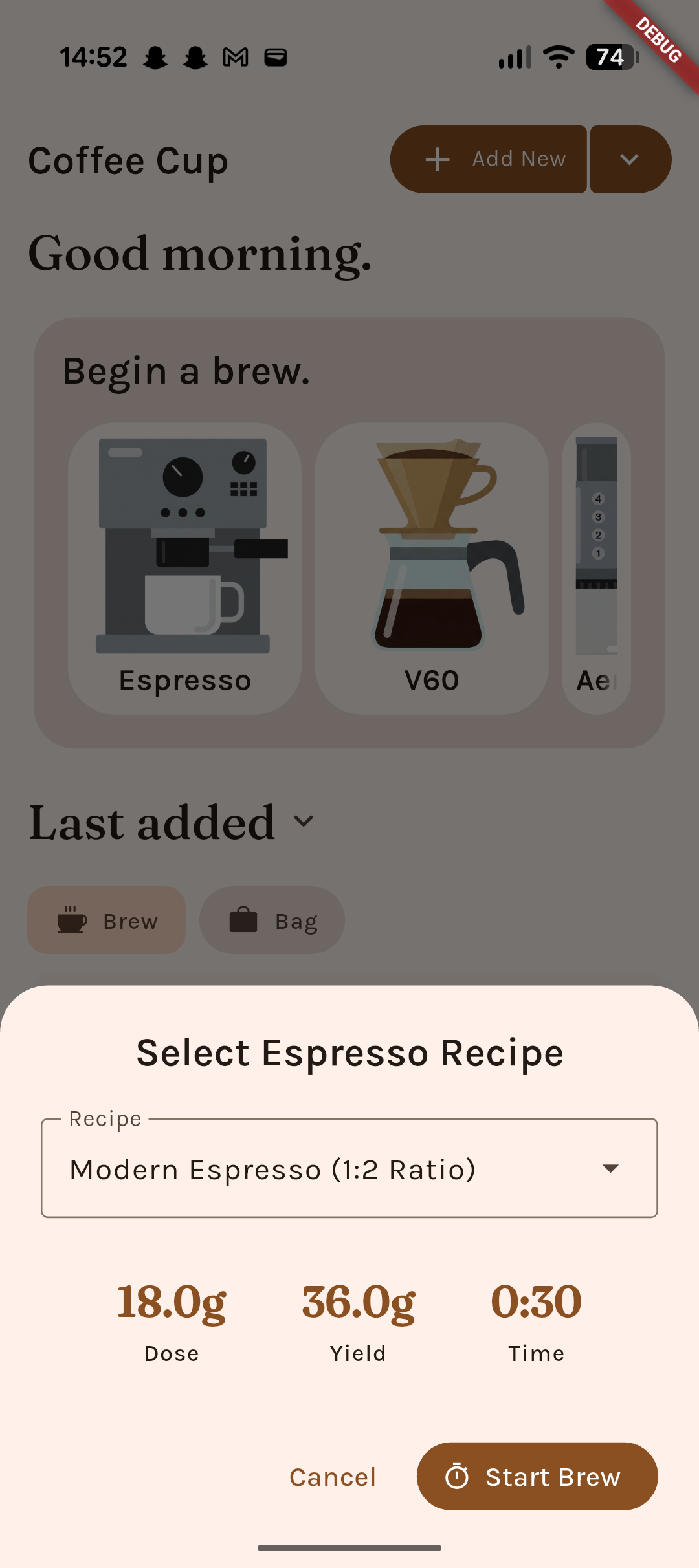 Pressing finish and save after the timer is complete will auto-fill relevant fields into the brew logging screen so the user doesn't have to fill in each detail manually.
Technologies Used
Flutter (framework)
Dart (programming language)
Drift (Database)
Android Studio (IDE)